Crypto Tax Report Canada — Calculate your Coinbase gains for the CRA
Specialized tool for Coinbase users — Canadian & US tax reporting
⚠ Compatible exclusively with CSV files exported from Coinbase (French and English formats)
💬 Our mission: help crypto holders produce their tax report without breaking the bank.
What is CryptoGains Report?
Have you bought, sold, or traded cryptocurrencies on Coinbase? When tax time comes, you need to report your capital gains and losses to the Canada Revenue Agency (CRA) or the IRS in the United States. But calculating all of this manually is a nightmare.
CryptoGains Report does the work for you in seconds:
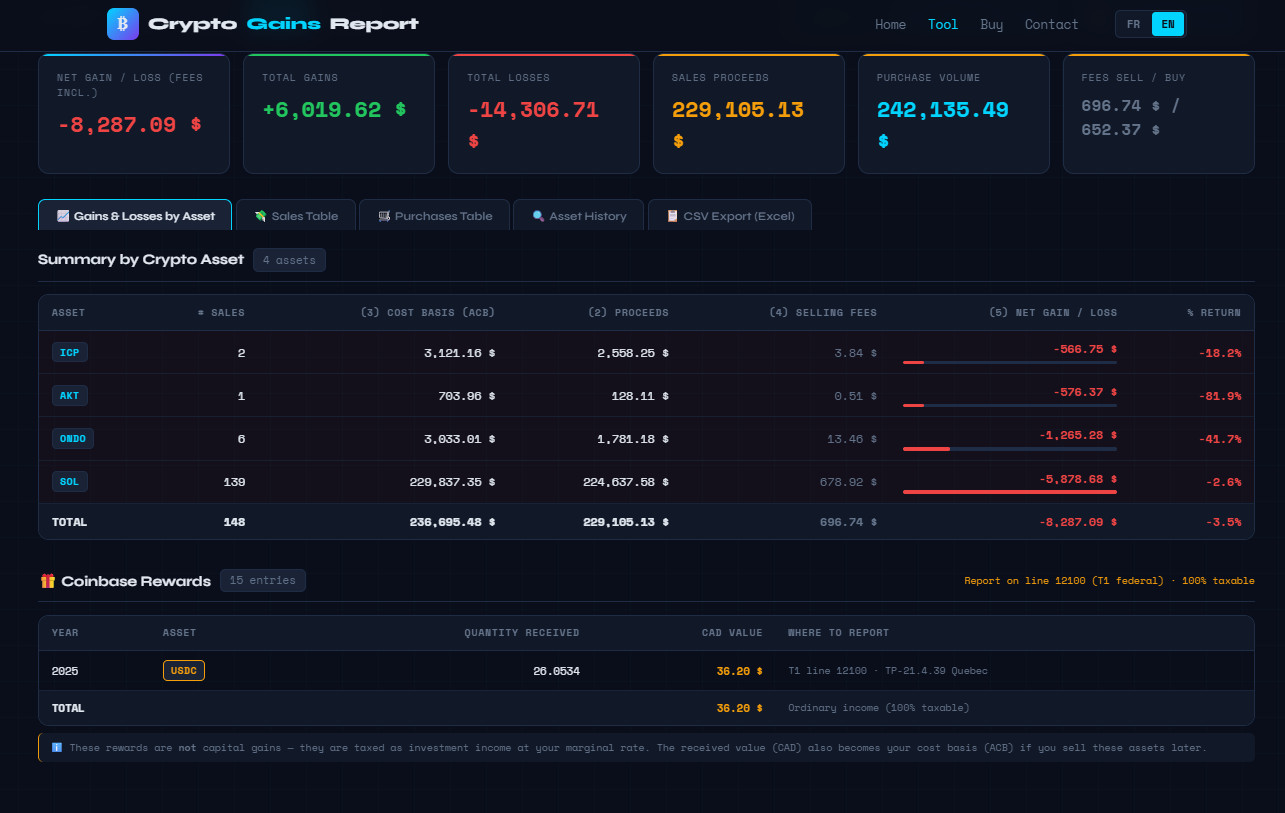
The tool generates detailed reports including:
- Gains and losses by cryptocurrency (BTC, ETH, SOL, etc.)
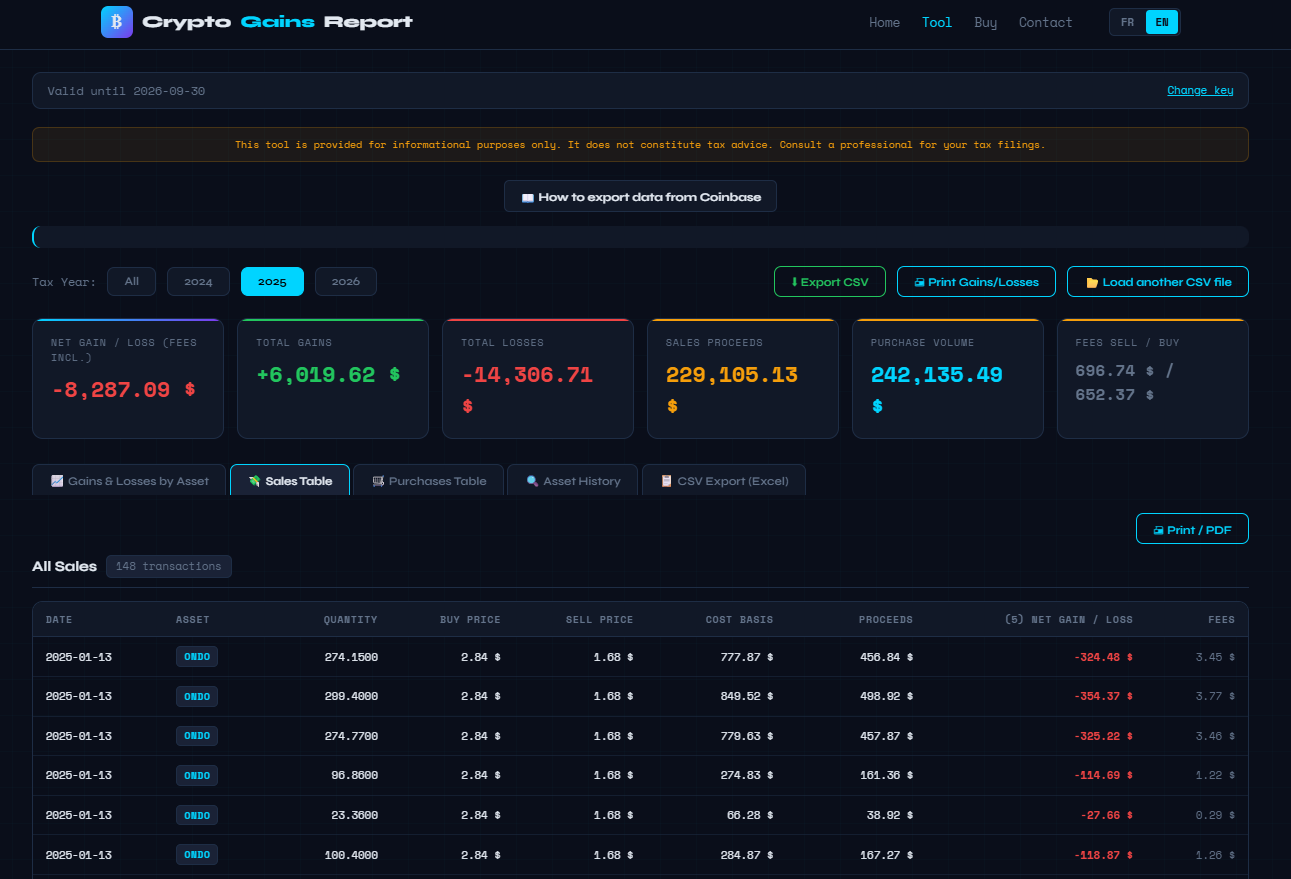
- The detail of each sale with cost basis, proceeds, and net gain/loss
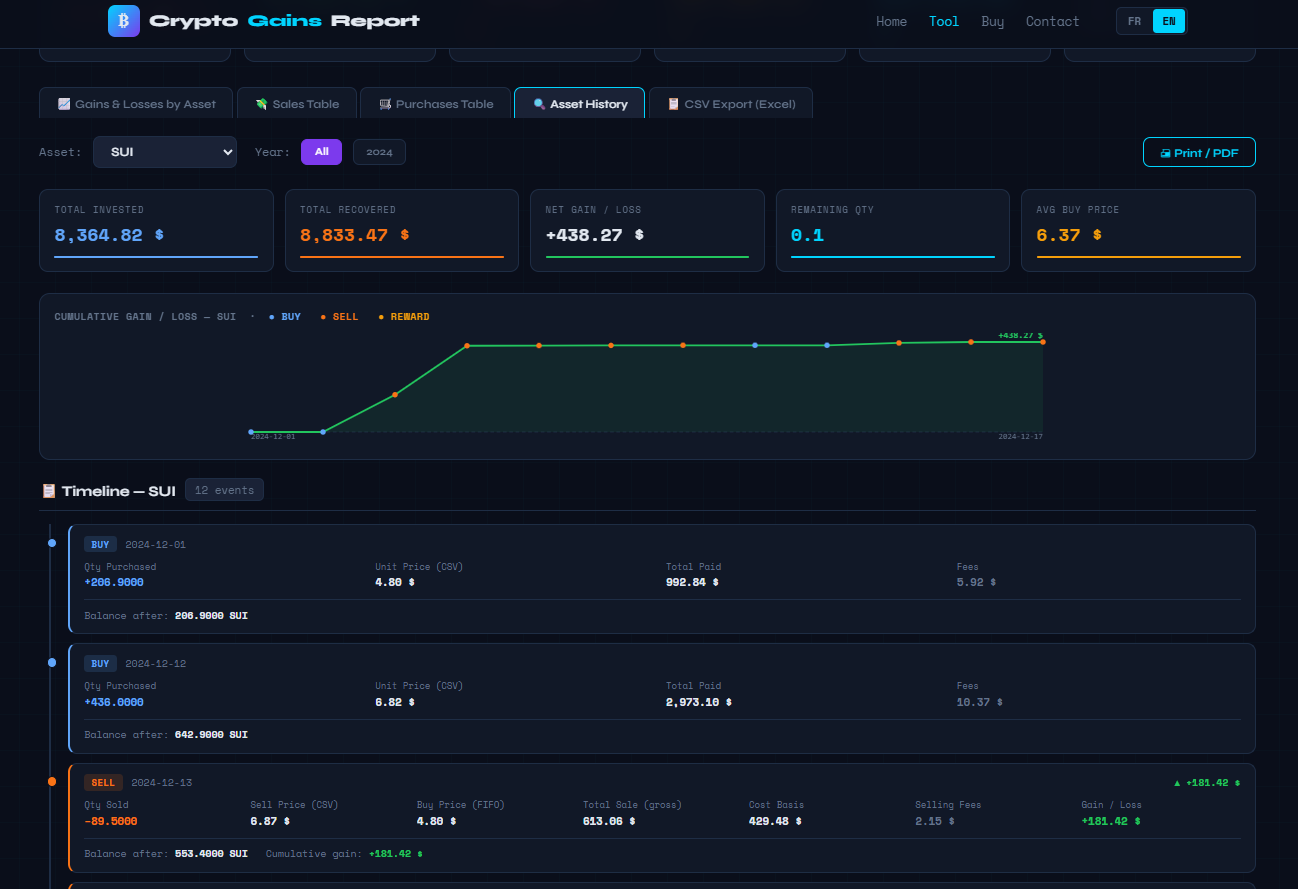
- The complete history of each asset with chart and timeline
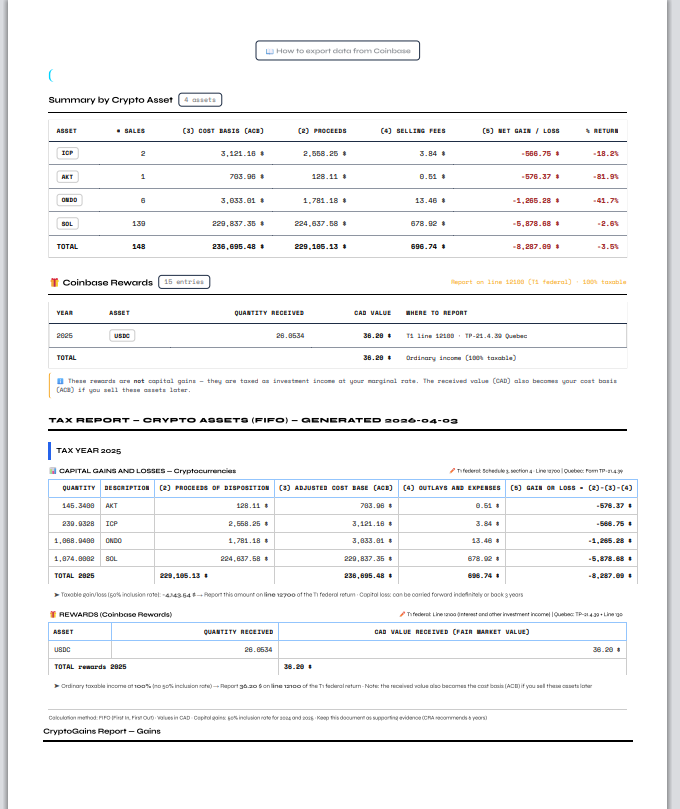
- Staking/rewards income from Coinbase (reported separately)
- The formatted tax report per Schedule 3 (Canada) with reference lines (line 12700, 12100)
- A CSV export compatible with Excel for your records
See the tool in action
Tool Preview
Features
ACB / FIFO Calculation
Switch between ACB (Adjusted Cost Base — required by CRA in Canada) and FIFO (accepted by IRS in the United States)
Print-ready tax report
Schedule 3, line 12700 (federal) and TP-21.4.39 (Quebec)
Coinbase CSV import
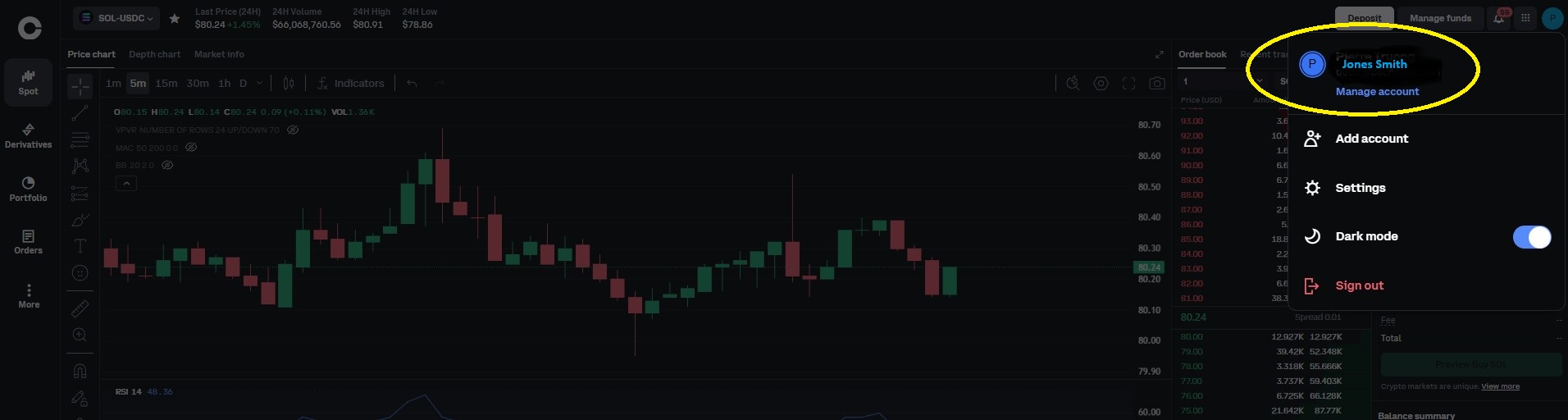
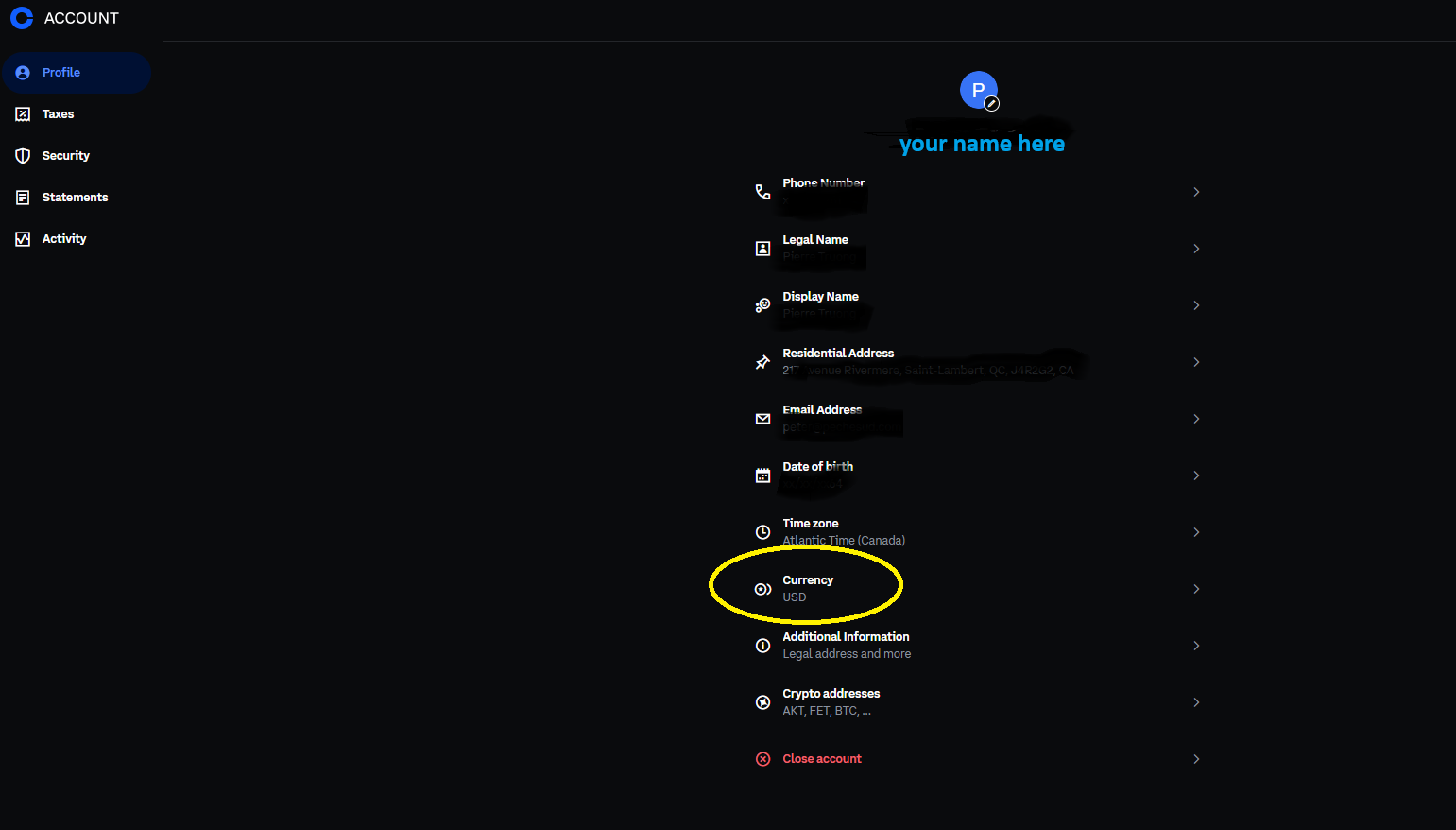
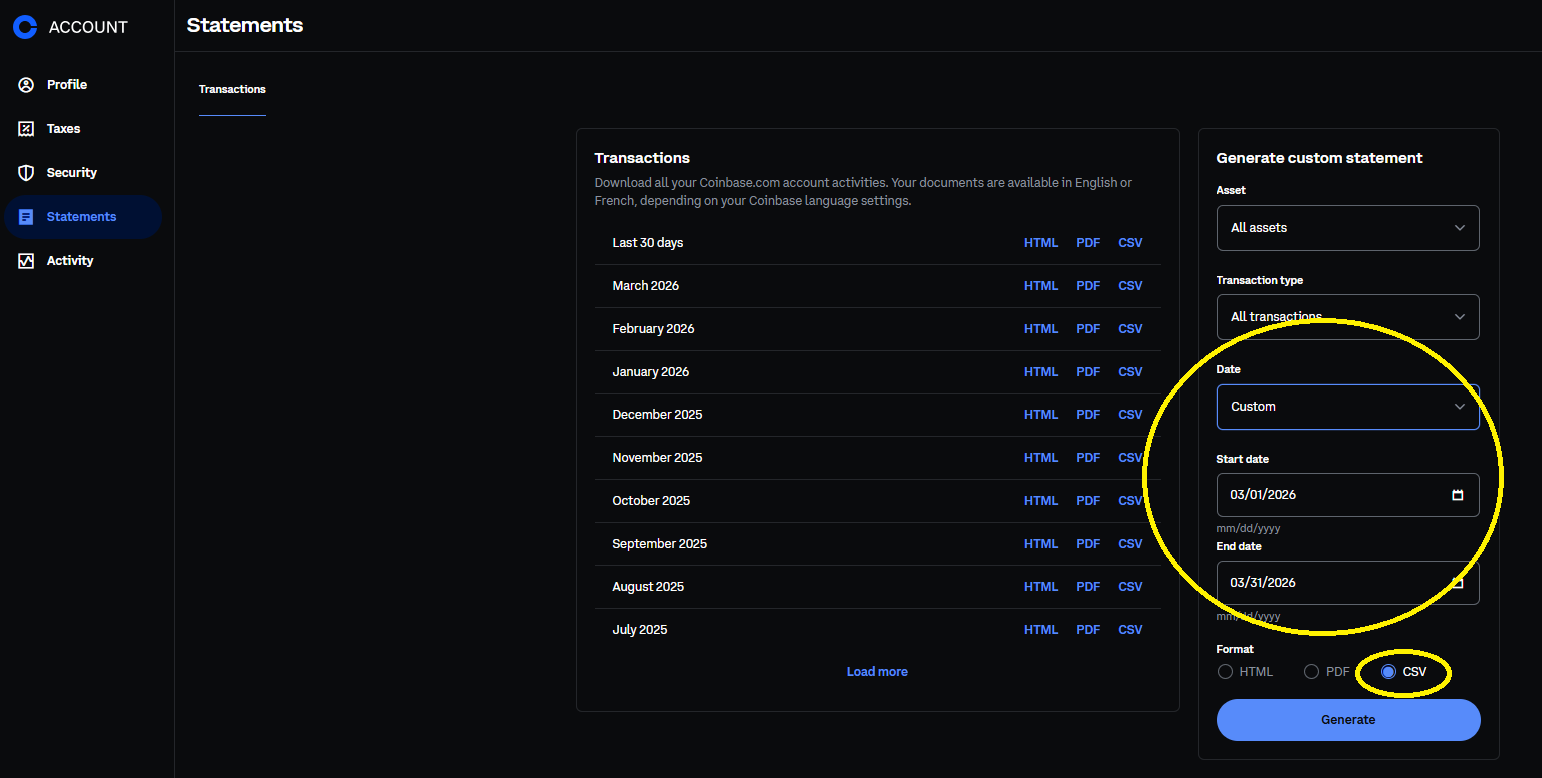
Import your Coinbase transaction history directly
Excel/CSV export
Export your results in Excel-compatible format
Rewards tracking
Separate reporting for staking income (line 12100)
Multi-year
Filter by tax year for each filing
Works on all devices
Windows, Mac, Linux — no installation required. Works directly in your browser (Chrome, Safari, Firefox, Edge).
Pricing
- Unlimited calculations
- CSV export included
- Printable tax report
- Bilingual FR/EN support
Our mission: help crypto holders produce their tax report without breaking the bank.
How to Report Crypto Assets on Your Canadian Tax Return
A practical guide to filling out Schedule 3 and the CRA CRYPTO form with your Coinbase transactions
🎯 Which method should you use based on your country?
The cost basis calculation for your crypto assets varies depending on your country of tax residence. Our tool supports both methods and lets you toggle between them with one click.
Adjusted Cost Base (weighted average cost)
The CRA requires the ACB method for identical properties (section 47 of the Income Tax Act). Each purchase recalculates the average cost of your units.
First In, First Out
The IRS accepts FIFO by default (also LIFO, HIFO, specific identification). The first cryptos purchased are deemed the first sold.
Concrete example of the difference
Purchases: 1 BTC at $30,000 then 1 BTC at $40,000. Sale: 0.5 BTC at $50,000.
Sources: CRA — Determining the value of crypto-assets • Boyer & Boyer CPA — 7 crypto tax traps • IRS — Virtual Currency FAQ
📄 Schedule 3 — Capital Gains (Federal)
Schedule 3 of the federal T1 return is the main form for reporting your capital gains and losses, including crypto assets. Since 2024, the CRA has added a dedicated crypto assets section in Part 3 of Schedule 3.
Here's how to fill out the crypto assets section:
💡 Line 15301 — Total gains or losses on crypto assets
💡 Line 12700 — Taxable capital gains (50% of total net gains)
CryptoGains Report automatically generates all these values from your Coinbase CSV file. Simply copy the amounts into your tax return or hand the report to your accountant.
📝 The CRYPTO Form — Worksheet
Starting with the 2024 tax year, the CRA requires a detailed CRYPTO worksheet alongside Schedule 3. This form requires you to break down your transactions by crypto asset type:
Bitcoin, Ethereum, Solana, etc.
AKT, ICP, LINK, etc.
Digital art, collectibles
Tokens treated as securities
For each type, you must provide: the quantity, description, year of acquisition, proceeds of disposition, adjusted cost base, expenses, and the gain or loss.
🏷 Cryptocurrency or Utility Token? — How to Tell the Difference
The CRA's CRYPTO form requires you to classify your assets by type. But how do you know if your crypto is a "cryptocurrency" or a "utility token"? The distinction is based on the token's primary function:
📊 Canadian Crypto Tax Rules — What You Need to Know
In Canada, only 50% of your capital gains are taxable. If you have $10,000 in gains, only $5,000 is added to your taxable income.
The CRA requires the Adjusted Cost Base (ACB — weighted average cost) method. For US users, the IRS accepts the FIFO method. Our tool provides both.
Selling crypto, exchanging one crypto for another, or using crypto to purchase goods — these are all taxable events that trigger a capital gain or loss.
Capital losses can be used to offset your gains in the current year. Excess losses can be carried back 3 years or carried forward indefinitely.
Coinbase staking rewards are considered income (line 12100), not capital gains. They are 100% taxable at their fair market value when received.
Stablecoins pegged to the US dollar generally don't generate significant capital gains. Our tool automatically excludes them from the tax report.
⚖ Capital Gain or Business Income? — The Crucial Distinction
The CRA and Revenu Québec can treat your crypto profits in two very different ways. The classification has a major impact on your taxes:
Only half the gain is taxable. On a $10,000 profit, you pay tax on only $5,000.
Reported on Schedule 3
The full profit is taxable. On a $10,000 profit, you pay tax on the entire $10,000.
Reported on form T2125
How does the CRA determine the classification? Several factors are analyzed on a case-by-case basis:
Sources: CRA — Income from crypto-asset transactions • Revenu Québec — Virtual Currency
⚛ Quebec Specifics — Revenu Québec
If you are a Quebec resident, you must also report your crypto capital gains to Revenu Québec using:
- Schedule G — Capital gains and losses (TP-1 provincial return)
- Line 139 — Taxable capital gains on the TP-1 return
- TP-21.4.39 — Declaration relative to crypto-assets (mandatory since 2024)
The amounts are generally identical to those on the federal return. The 50% inclusion rate also applies in Quebec. If you use software like TurboTax, the federal Schedule 3 amounts are automatically carried over to the Quebec return.
FAQ
How does it work?
Buy a license key, access the tool, import your Coinbase CSV file and get your tax report instantly.
How do I fill out Schedule 3 for crypto?
Our tool generates a report that matches the columns of the "Crypto assets" section of Schedule 3 exactly: proceeds of disposition (line 15200), adjusted cost base, outlays and expenses, and gain or loss (line 15301). Simply copy the amounts or hand the PDF to your accountant.
What is the FIFO method?
FIFO stands for "First In, First Out" — the first cryptos purchased are deemed to be the first ones sold. This is the default method accepted by the IRS (USA). In Canada, the CRA instead requires the ACB method (Adjusted Cost Base, weighted average cost). Our tool offers both methods with a selector at the top of the results display.
Should I report my crypto losses?
Yes! Reporting capital losses is beneficial. They can offset your capital gains in the current year, be carried back 3 years for a tax refund, or carried forward indefinitely to offset future gains.
Are Coinbase staking rewards taxable?
Yes. Staking rewards and "Coinbase Earn" are considered income (line 12100) and are 100% taxable at their fair market value when received. Our tool identifies and reports them separately.
Is my crypto a capital gain or business income?
For most Coinbase users who buy, hold, and occasionally sell, these are capital gains (taxed at 50%). If you engage in high-frequency day trading, the CRA may consider your profits as business income (taxed at 100%). Criteria include transaction frequency, holding period, and commercial intent. When in doubt, consult a tax professional.
Which platforms are supported?
Currently, the tool supports Coinbase CSV exports (French and English formats), including Coinbase and Coinbase Advanced Trade transactions.
Is my data secure?
Your CSV file is processed directly in your browser. No financial data is sent to our servers. Your transactions remain 100% private.
Is this tax advice?
No. This tool is provided for informational purposes only. Tax rules may vary depending on your situation. Consult a certified accountant for your official tax filings.